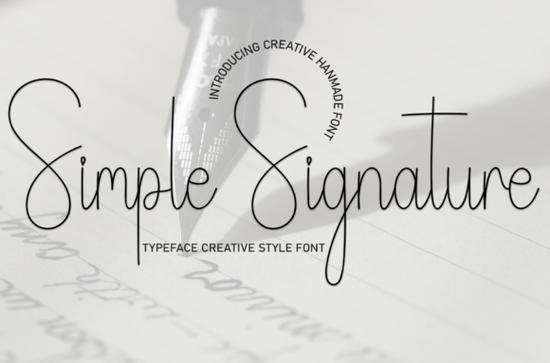
Looking for a handwritten font that feels warm, approachable, and easy to use in real projects? The Simple Signature Font is a sweet and friendly script typeface designed for wedding invitations, greeting cards, branding projects, and everyday creative work. It has a casual, hand-lettered feel without being hard to read which is something many designers struggle to find in signature-style fonts.
What Makes Simple Signature Font Stand Out?
There are thousands of handwritten fonts available online, but not all of them work well in real design projects. Some look beautiful in previews but fall apart at small sizes. Others are so decorative that they sacrifice legibility.
Simple Signature Font strikes a practical balance. The letterforms are loose and natural, giving your text a hand-drawn quality, but they stay consistent enough to read clearly even in longer lines of text like invitation wording or product descriptions.
Here's what you get with this font:
- Uppercase and lowercase letters with a flowing, connected style
- Numbers and basic punctuation for full project support
- A natural baseline that mimics real handwriting rhythm
- OTF and TTF file formats for compatibility with most design software
If you've been browsing script fonts for crafters and small businesses, this one is worth a closer look because it covers a wide range of use cases without needing extra styling or effects.
Where Can You Actually Use This Font?
This is one of those fonts that earns its spot in your library because you'll keep reaching for it. Here are some real-world projects where it fits naturally:
- Wedding invitations and save-the-dates the soft, romantic style pairs well with floral or minimalist layouts
- Greeting cards birthday cards, thank-you notes, and holiday designs
- Social media graphics quote posts, Instagram stories, Pinterest pins
- Print-on-demand products mugs, tote bags, t-shirt designs with short phrases
- Logo design especially for boutiques, bakeries, florists, and lifestyle brands
- Website headers and blog graphics adds personality without overwhelming your layout
The key is that Simple Signature works best with short-to-medium length text. Headlines, names, taglines, and single lines of copy look especially strong in this style.
How Does It Compare to Other Handwritten Fonts?
If you're building a font collection for design work, it helps to understand how different scripts complement each other. Simple Signature leans casual and friendly, which makes it a great contrast to bolder or more structured typefaces.
For example, if you want a more flowing, elegant script for formal invitations, a font like that would pair well alongside Simple Signature for body text or secondary elements. On the other hand, if your project needs something playful and chunky, rounded, bubbly fonts give you that fun energy in a different way.
For trendy, modern projects especially social media or branding work check out stylish handwritten options that have a slightly more editorial feel. And if you specifically want fonts designed for signature-style layouts, decorative signature typefaces can give your text a more polished, autograph-like look.
Seasonal designers will also appreciate having a few festive display fonts on hand for holiday cards and December promotions.
Is Simple Signature Font Good for Commercial Projects?
Yes and this is an important detail for anyone selling products or doing client work. The font comes with a commercial license through Creative Fabrica, which means you can use it in products you sell, client projects, and print-on-demand designs without worrying about licensing issues.
Always double-check the specific license terms on the download page, but Creative Fabrica's standard licensing is designed to be creator-friendly. This makes it a solid choice for:
- Etsy sellers creating digital downloads
- POD sellers on Redbubble, Merch by Amazon, or TeePublic
- Freelance designers working with small business clients
- Anyone building a personal brand with consistent typography
What Software Works With This Font?
Since Simple Signature Font comes in standard OTF and TTF formats, it works with nearly every design tool you'd use day to day:
- Adobe Photoshop, Illustrator, and InDesign
- Canva (uploaded as a brand font)
- Cricut Design Space and Silhouette Studio
- Procreate on iPad
- Microsoft Word and Google Docs (with some limitations)
Just install the font files on your computer, restart your design app, and it should appear in your font menu.
Quick Checklist Before You Start Designing
- ✅ Download the font files and install both OTF and TTF versions
- ✅ Test the font at the actual size you plan to use it
- ✅ Pair it with a clean sans-serif for body text to keep things readable
- ✅ Use it on short phrases for the best visual impact
- ✅ Review the license details before using it in commercial products
- ✅ Save your favorite font pairings so your next project starts faster
Next step: Download Simple Signature Font and try it on one of your current projects even just a quick mockup. Seeing a font in your own design workflow tells you more than any preview ever will. Browse more Simple Signature Font details and similar options to keep building your creative toolkit.
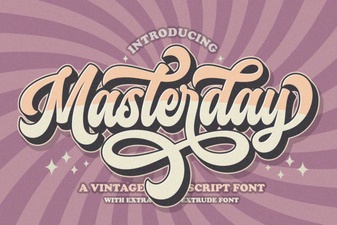 Masterday Font – Elegant Script Font for Creative Designs
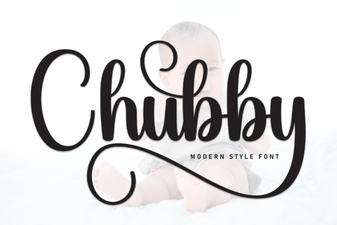 Chubby Font Free Download – Playful Script Typeface for Creative Projects
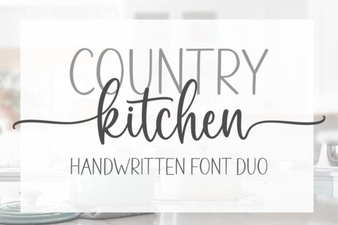 Country Kitchen Script Font - Rustic Handwritten Style Download
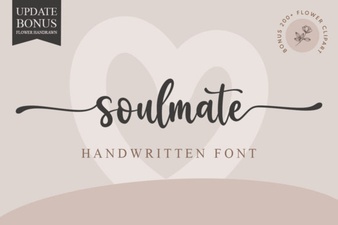 Soulmate Font: Elegant Typography for Romantic Designs
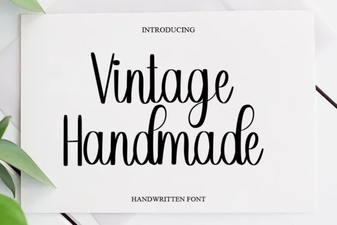 Vintage Handmade Fonts for Creative Design Projects
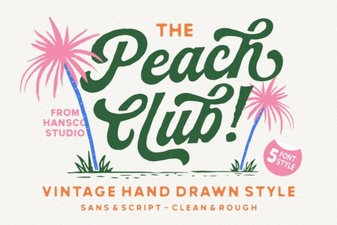 Peach Club Font - Elegant Script Font for Creative Design Projects